
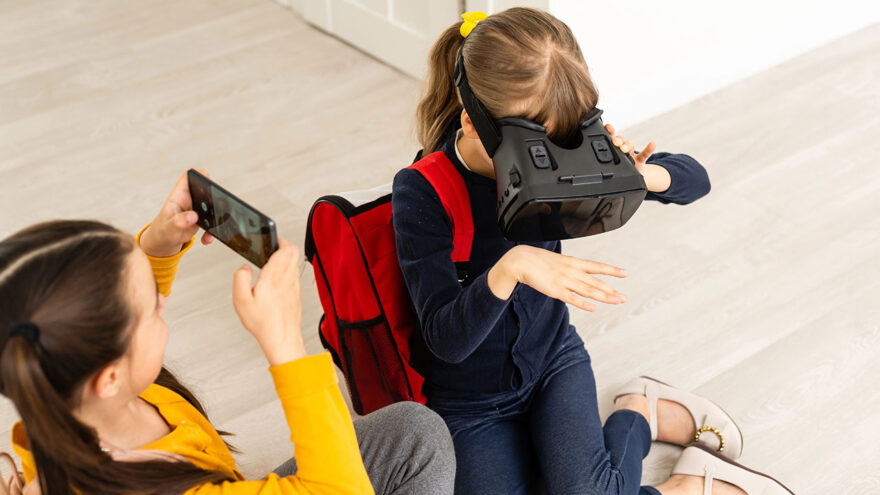
Virtual reality can be exciting, creative, and genuinely engaging for kids and teens—but it is also fundamentally different from other types of screen time. When a child puts on a VR headset, they are not just looking at a screen. They are stepping into an environment that blocks out the real world and responds to physical movement.
Because of that, supervising VR use requires a slightly different mindset than supervising phones, tablets, or gaming consoles. This guide is designed to help parents understand what supervision actually looks like with VR, how to reduce avoidable risks, and how to support healthy, balanced use without turning VR into a source of anxiety or conflict.
This is not medical or legal advice. It is practical, common-sense guidance based on how VR works in real households.
Why VR Requires a Different Kind of Supervision
Traditional screen time is mostly passive. VR is active, immersive, and physical.
Key differences include:
- The user cannot see their surroundings
- Movement is encouraged (turning, reaching, stepping)
- Emotional engagement can be stronger
- Social interaction may involve voice and proximity
- The experience can feel more “real” than watching a screen
Supervision is therefore less about hovering over content and more about managing environment, time, and context.
Start With Age-Appropriate Expectations
Most VR manufacturers and app platforms provide age guidance. These are not arbitrary—they reflect considerations around physical coordination, headset fit, and emotional processing.
General patterns many families observe:
- Younger children benefit from short, closely supervised sessions
- Older children and teens can handle more independence with clear rules
- Very young children should not use VR unsupervised
Every child is different. Sensitivity to motion, frustration tolerance, and emotional intensity vary widely. Age guidance is a starting point, not a guarantee.
Set Up the Physical Space Before Anything Else
Physical safety is the most important part of VR supervision.
Because users cannot see the real world while wearing a headset, the environment must be prepared in advance.
Best practices for the play area:
- Clear furniture, cords, and breakable objects
- Choose a room with open floor space
- Ensure good lighting for tracking accuracy
- Keep pets and siblings out of the play zone
- Use the headset’s boundary system every time
Parents should periodically recheck the space, especially if furniture moves or the headset is used in multiple rooms.
Supervise Session Length, Not Just Content
One of the most common VR mistakes is letting sessions run too long.
VR can be absorbing. Children may not notice:
- Fatigue
- Eye strain
- Dizziness
- Overstimulation
Many families find success by:
- Starting with short sessions (10–20 minutes)
- Scheduling breaks between sessions
- Avoiding long back-to-back use
Natural stopping points help children transition out of VR without frustration.
Watch for Physical and Emotional Signals
Children don’t always articulate discomfort clearly.
Parents should watch for:
- Dizziness or nausea
- Headaches or eye strain
- Irritability or emotional intensity after use
- Balance issues immediately after removing the headset
- Reluctance to take breaks
If these occur, it’s reasonable to pause VR use and reassess duration, content, or frequency.
Understand Social and Online Features
Many VR experiences include shared environments and voice chat.
This can involve:
- Interacting with strangers
- Proximity-based communication
- Real-time voice conversations
Because VR interaction can feel more personal than text-based games, it’s important to:
- Review privacy and communication settings
- Disable or limit voice chat when appropriate
- Explain acceptable behavior clearly
- Encourage children to speak up about uncomfortable interactions
Supervision includes conversation, not just controls.
Use Parental Tools as Support, Not a Substitute
Many VR platforms offer parental features such as:
- App approvals
- Spending controls
- Content filters
- Usage reminders
These tools are helpful, but they work best when paired with:
- Clear household rules
- Consistent expectations
- Open communication
Technology can enforce boundaries, but it cannot replace guidance.
Keep VR as One Activity Among Many
VR works best when it is part of a balanced routine, not a default activity.
Parents often succeed by:
- Scheduling VR time intentionally
- Balancing it with outdoor play and offline activities
- Avoiding VR close to bedtime
- Treating VR like other screen-based entertainment
When VR is predictable and limited, it becomes easier to manage.
Talk About the Experience Afterward
One of the simplest and most effective supervision tools is conversation.
After a session, ask:
- What did you do in VR?
- What did you enjoy?
- Did anything feel confusing or uncomfortable?
- Who did you interact with?
These conversations help parents understand how VR affects their child and reinforce that VR use is something shared, not hidden.
Hygiene and Shared Use Considerations
If multiple people use the same headset:
- Clean face pads regularly
- Consider wipeable or replaceable covers
- Avoid sharing during illness
- Store the headset properly between uses
These habits support comfort and longevity.
Common Parental Concerns (Without Alarmism)
“Is VR addictive?”
VR is engaging, but healthy routines and time limits matter more than the medium itself.
“Will VR replace real-world activities?”
Only if boundaries are absent. Structure keeps VR in proportion.
“Is VR unsafe?”
VR is safe when used in a prepared space with appropriate supervision.
A Practical Supervision Checklist
Parents supervising VR use should be able to say:
- I understand what my child is doing in VR
- I know how long sessions last
- I’ve prepared the physical space
- I’m aware of social features
- I talk with my child about their experience
If these boxes are checked, supervision is working.
Final Thoughts
Virtual reality is a tool—not inherently harmful and not automatically beneficial. Like any immersive technology, its impact depends on how it’s introduced, how often it’s used, and how engaged parents remain in the process.
Effective supervision isn’t about fear or control. It’s about awareness, structure, and communication.
With thoughtful boundaries and open conversation, VR can be explored responsibly as part of a modern household—without becoming a source of stress for parents or kids.