
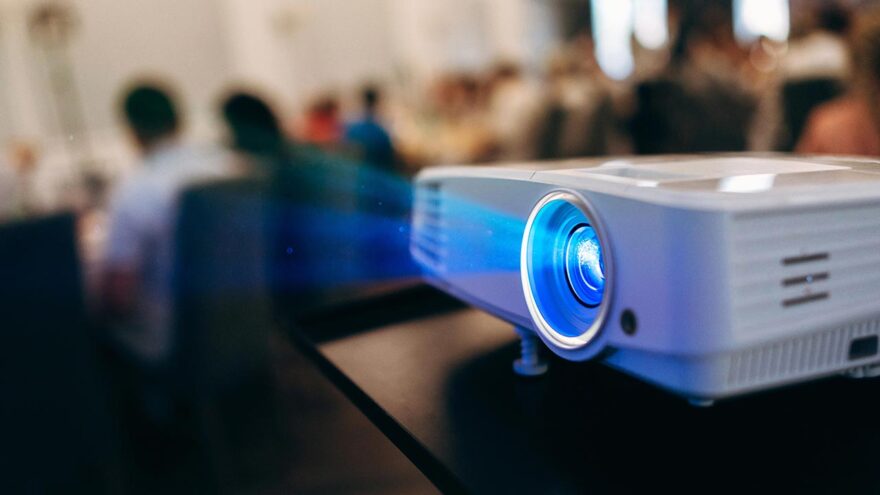
Projectors used to be niche home-theater equipment: large, expensive, and tied to complicated setups. Today’s smart projectors aim to be something different. They’re compact, portable, and designed to work more like a smart TV—except they can turn almost any wall into a screen.
A projector that includes licensed Netflix support, Wi-Fi, and Bluetooth tries to remove friction from the experience. Instead of juggling external streaming sticks, cables, and adapters, the projector itself becomes the entertainment hub.
This article takes a practical look at what this category of smart projector does well, where expectations should stay realistic, and who it’s actually built for.
What “Netflix-Licensed” Actually Means
Not all projectors that advertise streaming support work the same way.
A Netflix-licensed projector:
- Runs an approved version of the Netflix app
- Supports official authentication and updates
- Avoids the workarounds some unlicensed projectors require
This matters because Netflix actively restricts playback on unsupported devices. Many projectors rely on casting from a phone or adding a separate streaming stick. A licensed model allows you to:
- Log in directly
- Stream natively
- Use the projector on its own
For casual users, this simplicity is one of the biggest benefits.
Smart Projector vs Traditional Projector
Traditional projectors focus on image output and assume external devices handle content.
Smart projectors integrate:
- Wi-Fi connectivity
- Built-in apps
- On-device controls
- Sometimes voice or remote navigation
The trade-off is that smart projectors prioritize convenience and portability over maximum brightness or raw performance.
Resolution and Image Quality in Real-World Use
Many smart projectors advertise 1080p Full HD resolution, which is more than sufficient for:
- Movies
- TV shows
- Casual gaming
- Presentations
However, resolution alone doesn’t determine image quality.
Other factors that matter just as much:
- Brightness (often measured in ANSI lumens)
- Contrast ratio
- Ambient lighting conditions
- Projection surface quality
In practice:
- Darker rooms produce better results
- Neutral-colored walls work best
- Image quality improves dramatically at night
This category of projector is not designed to overpower daylight. It’s designed to create a large, enjoyable image in controlled lighting.
Built-In Streaming vs External Devices
One of the biggest selling points of a smart projector is not needing anything else.
With built-in apps:
- No HDMI stick required
- Fewer cables
- Faster setup
- Less troubleshooting
That said, external devices still have advantages:
- Faster app updates
- Broader app ecosystems
- Stronger processing power
For many users, the convenience of built-in streaming outweighs the flexibility of add-ons—especially for casual viewing.
Bluetooth Audio: Why It Matters More Than Built-In Speakers
Compact projectors almost always include built-in speakers, but physics imposes limits.
Bluetooth audio support allows users to:
- Connect external speakers
- Pair soundbars
- Use wireless headphones
This dramatically improves the experience, especially for:
- Movie nights
- Outdoor setups
- Shared viewing
Audio is often the first upgrade people make—and Bluetooth makes it easy.
Portability and Setup Flexibility
One of the strongest advantages of this type of projector is portability.
Common use cases include:
- Living rooms without permanent TVs
- Bedrooms
- Dorm rooms
- Backyard movie nights
- Travel and temporary setups
Setup typically involves:
- Placing the projector
- Connecting Wi-Fi
- Adjusting focus and keystone
- Logging into streaming apps
No mounting or permanent installation required.
Projection Size and Viewing Distance
Unlike TVs, projector image size depends on distance.
Most compact projectors support:
- Small images at close range
- Larger images when placed farther back
This flexibility allows users to:
- Tailor screen size to the room
- Adapt to different spaces
- Avoid committing to a fixed screen size
However, pushing image size too large can reduce brightness. There’s a practical balance between size and clarity.
Gaming and Input Lag Considerations
Some users connect game consoles or laptops to smart projectors.
This works well for:
- Casual gaming
- Story-driven titles
- Party games
It’s less ideal for:
- Competitive gaming
- Fast reaction-based play
Input lag varies by model, and smart projectors are not optimized for esports-level responsiveness. For relaxed gaming, though, they’re often more than adequate.
Outdoor and Group Viewing Scenarios
Smart projectors shine in group settings.
Outdoor use considerations:
- Wait until dusk or night
- Use a flat projection surface
- Pair with external audio
- Ensure stable power
For families or gatherings, the ability to create a large shared screen without hauling a TV can be surprisingly valuable.
What to Be Realistic About
Smart projectors in this category are not replacements for:
- High-end home theater projectors
- Large premium TVs
- Daylight-viewable displays
They prioritize:
- Flexibility
- Simplicity
- Portability
When expectations align with those goals, satisfaction tends to be high.
Software and Updates
Because smart projectors rely on software:
- App availability can change
- Updates matter
- Occasional bugs are normal
Licensed platforms reduce friction, but no smart device is entirely maintenance-free. Keeping software updated improves stability and compatibility.
Longevity and Daily Use
These projectors are best suited for:
- Casual to moderate use
- Varied environments
- Flexible viewing needs
They’re less ideal for:
- Always-on TV replacement
- Heavy daytime use
- Permanent installations
Used within their design intent, they hold up well over time.
Who This Type of Projector Is Best For
Smart projectors with licensed streaming are well suited for:
- Renters who don’t want wall mounts
- Students and dorm setups
- Families wanting flexible movie nights
- People who value simplicity over perfection
- Anyone without space for a large TV
They’re less suited for users who demand maximum brightness or permanent installations.
Practical Tips for Best Results
- Use in dim or dark environments
- Pair with external speakers
- Position carefully before adjusting keystone
- Keep firmware updated
- Manage expectations around brightness
Small adjustments make a big difference.
Final Perspective
A Netflix-licensed smart projector isn’t about chasing the best picture on the market. It’s about removing friction from shared viewing.
By combining streaming, portability, and wireless audio in one device, it creates an experience that’s easy to set up and easy to enjoy. When used in the right environment and with realistic expectations, it offers a flexible alternative to traditional TVs—one that adapts to how people actually live and watch content today.