
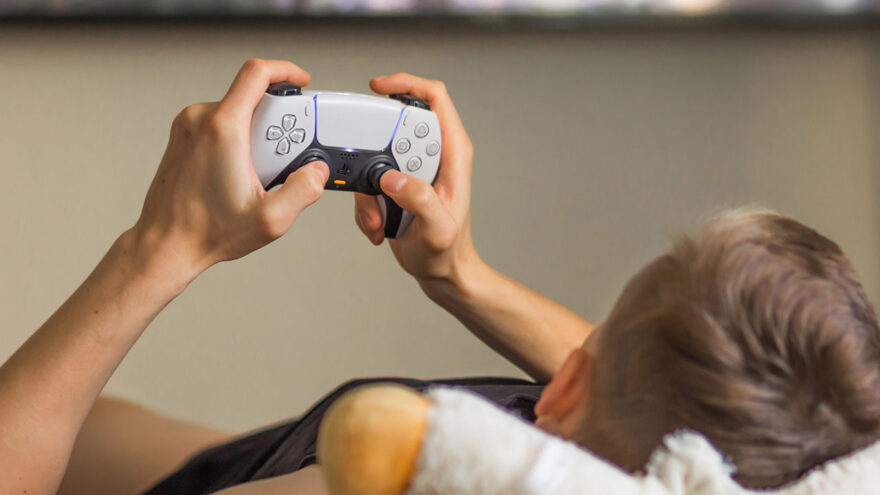
Game controllers rarely get rethought in meaningful ways. Most updates are incremental: better grips, slightly longer battery life, a new colorway. When Sony introduced the DualSense controller alongside the PlayStation 5, it stood out because it didn’t just refine an existing design—it changed how physical feedback is delivered to the player.
The DualSense isn’t about adding more buttons or louder vibration. It’s about how feedback is communicated through your hands, and how that feedback affects immersion, comfort, and control. This article takes a practical look at what the DualSense does differently, who benefits most from it, and when its advanced features genuinely matter.
Controllers as an Interface, Not Just an Input Device
A controller is the primary physical interface between a player and a game. Every jump, turn, acceleration, or interaction passes through it. Historically, controllers communicated feedback through:
- Basic vibration
- Resistance-free triggers
- Visual and audio cues on screen
The DualSense changes that by introducing more nuanced physical feedback, turning the controller into a more expressive interface rather than a simple input tool.
Haptic Feedback: What It Actually Changes
Traditional rumble motors produce one sensation: vibration. It can be strong or weak, but it’s always the same type of feedback.
DualSense haptic feedback replaces this with more precise actuators that can simulate:
- Surface texture
- Directional movement
- Subtle environmental cues
- Layered effects rather than a single buzz
In practice, this means:
- Walking on different in-game surfaces feels distinct
- Impacts can feel sharp or heavy rather than just loud
- Environmental effects feel contextual instead of generic
This doesn’t make games harder or easier—it makes them feel more specific.
Adaptive Triggers: Resistance With Purpose
The L2 and R2 triggers on the DualSense can dynamically change resistance during gameplay.
Instead of:
- Pressing the trigger the same way every time
You might experience:
- Increased resistance when drawing a bow
- Gradual tension when accelerating a vehicle
- Variable pressure when firing certain weapons
Importantly, this resistance is controlled by the game itself. When used well, it adds tactile context. When overused, it can feel distracting. Developers have control over whether and how strongly these effects are applied.
For players who prefer traditional triggers, these features can usually be adjusted or disabled.
Ergonomics and Comfort Over Long Sessions
The DualSense builds on the general shape of previous PlayStation controllers but introduces subtle changes:
- Slightly larger grips
- Improved weight distribution
- Refined trigger curvature
These changes aren’t dramatic, but over long sessions they matter. Many users report reduced hand fatigue compared to older designs, particularly during extended play.
Comfort remains subjective, but the DualSense aims to accommodate a wide range of hand sizes without feeling bulky.
Built-In Microphone and Audio Controls
The controller includes:
- A built-in microphone
- A dedicated mute button
- A 3.5mm headset jack
This allows for quick voice communication without additional hardware. While most players still prefer dedicated headsets for audio quality and privacy, the built-in mic offers convenience for casual or short interactions.
The physical mute button is particularly useful, offering immediate control without navigating menus.
Motion Sensors and Gyro Input
The DualSense includes a gyroscope and accelerometer, enabling motion-based input in supported games.
Motion input can be used for:
- Fine aiming adjustments
- Steering or tilting mechanics
- Supplemental controls rather than primary input
This feature is optional in most games and works best when integrated subtly. When used thoughtfully, it enhances precision without replacing traditional controls.
Battery Life: A Realistic Perspective
The DualSense uses an internal rechargeable battery charged via USB-C.
Battery life varies depending on:
- Use of haptic feedback
- Adaptive trigger intensity
- Nicrophone and speaker usage
- Wireless vs wired play
In general, battery life is sufficient for typical gaming sessions but may require regular charging for heavy users. Using the controller wired eliminates this concern entirely.
Battery expectations should be realistic: advanced features consume power.
Wired vs Wireless Use
The DualSense can be used:
- Wirelessly via Bluetooth
- Wired via USB-C
Wired mode:
- Eliminates battery concerns
- Reduces potential wireless latency
- Works well for desk or console-adjacent setups
Wireless mode:
- Offers freedom of movement
- Supports couch gaming
- Works across multiple devices
Both modes are reliable, and switching between them is seamless.
Compatibility Beyond the PlayStation 5
While designed for the PS5, the DualSense also works with:
- PCs
- Macs
- iOS devices
- Android devices
Basic controller functionality is widely supported. However, advanced features like adaptive triggers and full haptic feedback may only be available in:
- PS5 games
- Select PC titles that explicitly support them
For cross-platform players, this means the DualSense can serve multiple roles, though its full capabilities shine brightest on the PS5.
When the DualSense Makes the Biggest Difference
The DualSense is most impactful in games that are designed around its features.
This includes:
- First-party PlayStation titles
- Games that emphasize immersion
- Experiences that rely on environmental feedback
In simpler or older games, it behaves more like a traditional controller—and that’s not a flaw. It simply means the controller adapts to the game, not the other way around.
Situations Where the Difference Is Minimal
Not every game benefits equally.
You may notice less impact in:
- Retro or minimalist games
- Competitive titles where players disable extra feedback
- Genres focused on speed over immersion
In these cases, the DualSense still performs well—it just doesn’t stand out as dramatically.
Durability and Long-Term Use
The DualSense is built for daily use but benefits from reasonable care:
- Avoid dropping
- Keep triggers clean
- Charge responsibly
As with any controller, wear and tear accumulates over time. Proper handling extends lifespan.
Is It Worth Owning More Than One?
For many households, an extra controller makes sense:
- Multiplayer gaming
- Quick swaps when batteries run low
- Shared console use
Having a second controller also reduces pressure to charge immediately after every session.
A Note on Accessibility and Preferences
The DualSense includes accessibility options such as:
- Remappable buttons
- Adjustable trigger resistance
- Customizable feedback intensity
These settings help accommodate different play styles and comfort needs. Players should feel free to adjust features rather than forcing a “default” experience.
Final Perspective
The DualSense controller represents a thoughtful evolution rather than a gimmick. Its features don’t change what games are—they change how games feel when played as intended.
For players who value immersion and tactile feedback, it adds a layer of engagement that traditional controllers can’t replicate. For those who prefer simplicity, its features can be toned down or ignored without penalty.
Ultimately, the DualSense succeeds because it doesn’t demand attention—it rewards it. When paired with games designed to use it well, it turns the controller from a passive tool into an active part of the experience.