
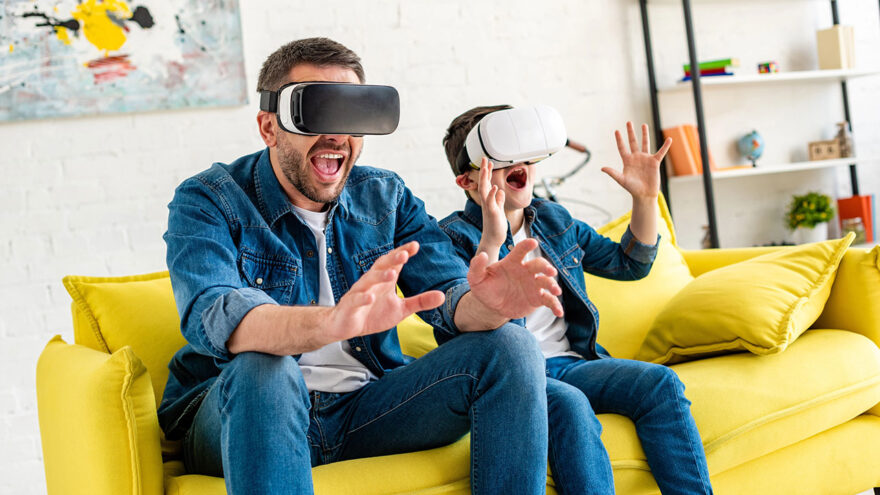
Virtual reality has moved well beyond experimental demos and niche gaming setups. Standalone VR headsets—devices that work without a PC, console, or external sensors—have made immersive experiences accessible to a much wider audience. You can put one on, draw a boundary in your living room, and be inside a virtual environment within minutes.
That ease of access is exactly what makes standalone VR appealing. It’s also what makes it important to understand how these devices actually work, what they’re good at, and where they require thoughtful use.
This guide explains what standalone VR headsets offer, how they differ from other VR systems, and what buyers should realistically consider before bringing one into their home.
What “Standalone VR” Actually Means
A standalone VR headset is a self-contained device. All of the following are built into the headset itself:
- Processing hardware
- Displays (one for each eye)
- Motion tracking cameras
- Battery and power management
- Wireless connectivity
This means the headset does not require:
- A gaming PC
- A console
- External cameras or tracking stations
- Cables connecting you to another device
Once set up, the headset operates independently.
This design dramatically reduces setup complexity and lowers the barrier to entry for VR.
How Standalone VR Tracking Works
Standalone headsets use inside-out tracking. Cameras on the headset observe the room around you and calculate movement based on visual reference points.
In practice, this allows the system to:
- Track head movement
- Track hand controllers
- Define a usable play area
- Detect when you approach boundaries
No external sensors are required, but lighting and room layout matter. Well-lit rooms with visible features tend to track better than dark or empty spaces.
What Standalone VR Is Best At
Standalone VR headsets are optimized for accessibility and convenience, not maximum computing power.
They excel at:
- Room-scale interactive experiences
- Motion-based games and fitness-style apps
- Immersive exploration and education
- Media playback in virtual environments
- Casual to moderate VR use
For many users, this balance is ideal. You gain freedom of movement and ease of use without needing specialized hardware.
Visual Experience: Immersion Over Raw Power
Standalone headsets use high-resolution displays placed close to the eyes to create a wide field of view and a sense of depth.
What this enables:
- Natural head movement within virtual spaces
- Spatial awareness rather than flat screens
- A feeling of presence that traditional displays can’t replicate
What it does not guarantee:
- Photorealistic graphics
- Ultra-high frame rates in every experience
- PC-level rendering complexity
The experience is immersive because of perspective and motion, not because of raw graphical horsepower.
Wireless Freedom and Why It Matters
One of the biggest practical advantages of standalone VR is wireless operation.
Without cables:
- Movement feels more natural
- Setup is faster
- Fewer safety hazards exist
- The headset can be used in multiple rooms
For many users, this freedom outweighs any graphical limitations.
Content Ecosystem and App Variety
Standalone VR platforms typically offer a curated app ecosystem that includes:
- Games
- Fitness and movement-based experiences
- Educational tools
- Creative applications
- Media players
- Social and shared virtual spaces
Most content is designed specifically for standalone hardware, which helps ensure smoother performance and easier use.
As with any digital platform, content availability evolves over time, and app quality varies. Buyers should review the current app catalog to ensure it aligns with their interests.
Physical Space Requirements
VR does not happen entirely in software. Physical space matters.
Most headsets require:
- A clear area free of obstacles
- Enough room to step, turn, and reach
- A boundary system to prevent collisions
Users should:
- Move furniture out of the play area
- Keep pets and other people clear
- Use the system’s boundary warnings
VR is immersive precisely because it blocks awareness of the real world. Physical preparation is essential for safe use.
Comfort and Individual Sensitivity
Comfort in VR varies widely between individuals.
Factors that influence comfort include:
- Headset weight and balance
- Fit and strap adjustment
- Session length
- Type of content
- Individual sensitivity to motion
Some people experience discomfort or disorientation, especially during early use. Many users reduce this by:
- Starting with short sessions
- Choosing stationary or slower experiences
- Taking breaks between sessions
There is no single “correct” duration for VR use. Comfort should guide usage, not arbitrary limits.
Battery Life and Session Length
Standalone headsets rely on internal batteries.
In practice, this means:
- Sessions are naturally time-limited
- Recharging is part of regular use
- Longer sessions may require breaks anyway
Battery limits can actually support healthier usage patterns by encouraging natural pauses.
Use by Children and Teens
Standalone VR is often marketed broadly, but manufacturers typically provide age guidance for a reason.
Considerations for younger users include:
- Headset fit on smaller heads
- Physical coordination and balance
- Emotional response to immersive environments
- Online interaction with other users
Parents and guardians should:
- Review age recommendations
- Supervise early use
- Set clear boundaries around time and content
- Discuss online behavior openly
VR is not inherently inappropriate, but it requires more awareness than traditional screen time.
Social and Online Features
Many VR platforms include shared experiences and multiplayer environments.
These can involve:
- Voice communication
- Proximity-based interaction
- Public or semi-public virtual spaces
Because VR interaction feels more personal than text-based communication, users should understand:
- Privacy settings
- Communication controls
- Reporting and blocking tools
Social VR can be positive and engaging, but it benefits from clear expectations and boundaries.
How Standalone VR Compares to Other Options
Compared to PC-based VR
Standalone VR:
- Easier setup
- Lower cost
- Wireless operation
PC-based VR:
- Higher performance ceiling
- More demanding setup
- Greater space and hardware requirements
Compared to console-based VR
Standalone VR:
- Portable and flexible
- No console dependency
Console VR:
- Tied to a specific system
- Often higher fidelity per title
Each approach serves a different audience.
Maintenance and Longevity
Standalone headsets are consumer electronics and require basic care:
- Keep lenses clean
- Store in a cool, dry place
- Avoid direct sunlight on lenses
- Keep firmware updated
With reasonable handling, they are designed to last through years of casual to moderate use.
Common Misconceptions
“Standalone VR is just for games.”
In reality, applications include education, creativity, fitness, and media.
“You need a huge room.”
Many experiences work in modest spaces.
“VR replaces traditional screens.”
It complements them; it doesn’t replace them.
“More immersion means more risk.”
Immersion requires awareness, not fear.
A Simple Buyer Self-Check
Before purchasing, ask yourself:
- Do I have a clear space to use it?
- Am I comfortable with motion-based interaction?
- Do I understand battery and session limits?
- Does the app ecosystem match my interests?
- Am I prepared to supervise younger users?
Clear answers lead to better experiences.
Final Perspective
Standalone VR headsets represent a significant shift in how immersive technology is accessed. By removing cables, external hardware, and complex setup, they make VR approachable for everyday use.
At the same time, VR remains a physically and emotionally immersive medium. It rewards thoughtful use, clear boundaries, and realistic expectations.
For users who understand both its capabilities and its limits, standalone VR offers an engaging, flexible way to explore digital environments—without turning the living room into a tech lab.