
Most people don’t actually have a problem recording audio. Phones, laptops, and cheap recorders can all capture sound well enough. The real problem starts afterward.
A meeting ends. A lecture wraps up. An interview is finished. You’re left with a long audio file and a vague memory of what mattered. Finding one specific point means scrubbing back and forth, replaying sections, and hoping you don’t miss the moment you need. For many people, that friction is enough that recordings simply go unused.
This is where a newer category of voice recorders has started to matter. Instead of focusing only on audio quality, these devices are built around what happens after the recording stops—transcription, summaries, and retrieval.
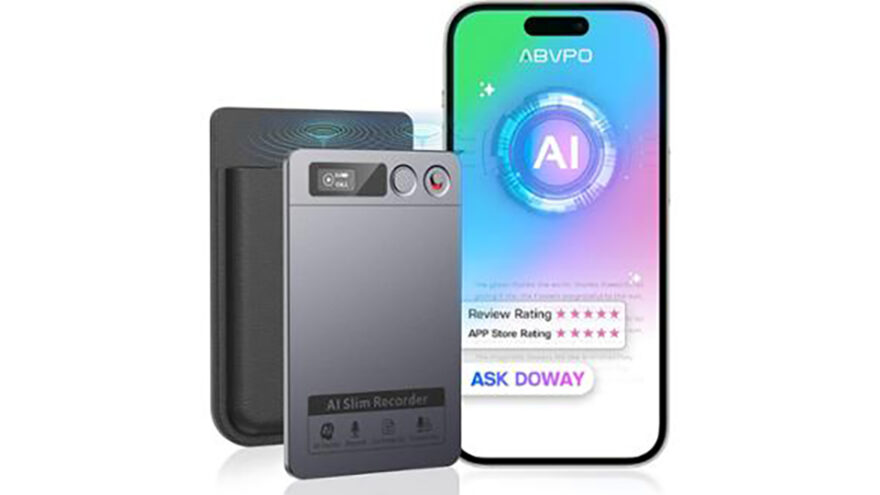
This article looks at that category through the lens of an AI-powered voice recorder that automatically transcribes and summarizes notes. More importantly, it explains who benefits from this approach, where expectations should stay realistic, and how to get actual value from it.
The Real Bottleneck: Reviewing Audio Is Slow
Audio is one of the least searchable forms of information. You can’t skim it the way you skim text. You can’t easily jump to “the part where the decision was made” or “the moment the definition was explained.”
That creates a pattern many people recognize:
- Meetings are recorded “just in case”
- Lectures are captured with good intentions
- Interviews are saved for later transcription
And then… nothing happens. The file exists, but the cost of reviewing it feels higher than the value of the information inside.
Traditional voice recorders don’t address that. They assume the job ends when the audio is captured.
AI-assisted recorders start from a different assumption: the job isn’t done until the information is usable.
How AI-Based Voice Recorders Change the Workflow
Instead of treating recording as the final output, this type of device treats recording as the input to a larger process.
The typical workflow looks like this:
- Record a conversation, lecture, or meeting
- Convert the audio into text automatically
- Generate a short summary highlighting key points
- Allow the user to search, scan, and export the information
The value isn’t that the recorder is “smart.” The value is that it removes the most time-consuming part of working with spoken information.
Transcription: The Foundation, Not the Finish Line
Automatic transcription is the core feature that enables everything else.
For many users, having a searchable transcript alone is enough to justify the device. Instead of replaying a full recording, they can:
- Search for keywords
- Jump to specific sections
- Copy quotes or notes directly
This is especially useful when the goal isn’t to preserve every word, but to extract specific details—names, dates, decisions, or definitions.
That said, transcription quality depends on conditions:
- Clear speech produces better results
- Overlapping speakers reduce accuracy
- Heavy background noise can interfere
Most users find that transcription is accurate enough to be useful, even if it isn’t perfect. The key shift is that you’re no longer starting from nothing.
Summaries: Saving Time, Not Replacing Judgment
Summarization is often misunderstood. It’s not meant to replace reading the transcript. It’s meant to reduce the initial cost of understanding what happened.
A good summary lets you answer questions like:
- Was anything important decided?
- Do I need to read the full transcript?
- Which sections deserve closer attention?
For meetings, summaries are especially helpful because they surface action items and discussion themes without forcing a full review. For lectures, they can reinforce structure and main ideas. For interviews, they help identify quotes worth revisiting.
The important thing to understand is that summaries are starting points, not authoritative records. Users still apply judgment, context, and verification when accuracy matters.
Noise Reduction: Helpful, With Limits
Many AI recorders advertise noise cancellation or noise reduction. In practice, this usually means:
- Reducing steady background sounds (fans, HVAC, hum)
- Minimizing low-level ambient noise
- Improving clarity for speech recognition
It does not mean:
- Eliminating loud background conversations
- Making chaotic environments sound controlled
- Turning poor mic placement into studio-quality audio
Used correctly—placed closer to the main speaker, in reasonably controlled environments—noise reduction improves both listening quality and transcription reliability. Used carelessly, it won’t fix everything.
Built-In Storage and App-Based Organization
Another meaningful shift with this category is how recordings are stored and managed.
Instead of dumping files into a generic folder, recordings are often organized through a companion app. That allows:
- Browsing by date or project
- Grouping related recordings
- Viewing transcripts alongside audio
- Exporting text when needed
For people who record frequently, this organization layer is more valuable than it sounds. The difference between “I recorded that somewhere” and “I can find it in 10 seconds” is significant.
Who Benefits Most From This Type of Recorder
Students and Researchers
Lecture-heavy courses produce more information than most people can capture in real time. A recorder that produces transcripts allows students to focus on listening and understanding, then review material later without replaying entire sessions.
Researchers conducting interviews face a similar challenge. Transcription is often the slowest part of analysis. Automating that step frees up time for actual interpretation.
Professionals and Knowledge Workers
Meetings generate decisions, ideas, and action items—but only if they’re captured clearly. Professionals who are responsible for follow-ups, documentation, or planning often find summaries and searchable transcripts more useful than raw recordings.
Journalists and Writers
Interview transcription is a necessary but tedious step in content creation. Automating it doesn’t remove editorial judgment, but it removes mechanical labor, allowing more time for writing and analysis.
Travelers and Language Learners
Multilingual transcription can be useful for documenting conversations or practicing language comprehension. While not a replacement for formal language study, having written transcripts can reinforce learning.
Common Mistakes People Make With AI Recorders
Assuming placement doesn’t matter
Even the best software struggles with distant or muffled audio. Physical placement still matters.
Expecting perfect accuracy
Transcription is good, not magical. Proper names, accents, and overlapping speech can require correction.
Recording everything without organization
The value comes from retrieval. Naming recordings and grouping them by project makes a big difference.
Ignoring summaries
Some users skip summaries and go straight to transcripts. Using summaries first often saves time.
How This Differs From Using a Phone App Alone
Many smartphones offer recording and transcription apps. The difference is consistency and intent.
A dedicated recorder:
- Is always ready
- Doesn’t depend on notifications or battery trade-offs
- Is designed around capture first, apps second
For occasional use, a phone app may be sufficient. For frequent use, a purpose-built device tends to reduce friction and improve follow-through.
Managing Expectations: What This Category Is Not
It’s important to be clear about what an AI-powered recorder does not do:
- It does not replace active listening
- It does not guarantee perfect transcripts
- It does not remove the need for review when accuracy matters
- It does not make disorganized workflows organized by default
What it does is lower the effort required to turn speech into something usable.
Practical Tips for Getting the Most Value
- Place the recorder closer to the main speaker than the room
- Split long sessions into separate recordings by topic
- Review summaries before diving into full transcripts
- Correct key terms or names early if accuracy matters
- Export and archive important transcripts for long-term reference
These small habits dramatically increase usefulness.
Who Should Skip This Category
This type of device may not be necessary if:
- You rarely review recordings
- You only record short voice memos
- You prefer handwritten notes exclusively
- You’re comfortable manually transcribing occasionally
For everyone else, especially those who regularly work with spoken information, the time savings add up.
Final Perspective
The biggest shift with AI-powered voice recorders isn’t technical—it’s behavioral.
By turning speech into searchable text and readable summaries, they reduce the friction that causes most recordings to sit untouched. For people who deal with meetings, lectures, interviews, or spoken ideas regularly, that shift can quietly save hours over time.
Recording audio has never been hard. Making it useful is what finally got easier.